Source creation and maintenance
In Boomi Data Hub a source is an entity representing a system that for individual primary data domains can contribute to data and/or accept updates of data. Because a given system can be integrated with multiple domains across multiple resources, the creation of Boomi Data Hub sources is handled at the account level. This enables you to reuse sources across data stores.
The sources in your Boomi Data Hub account are listed in the Sources page. To open the Sources page, click Sources in the Boomi Data Hub menu.
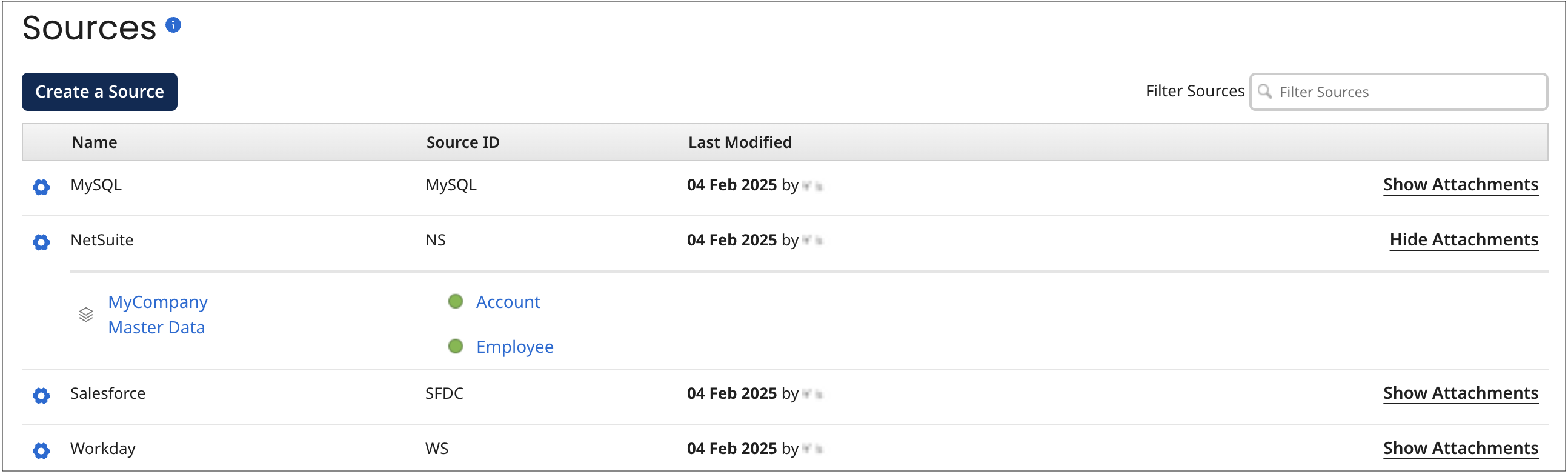
Sources have the following mandatory properties:
-
name
-
unique ID
When you create a source you set both of the above properties. After that you can change its name but you cannot change its unique ID. The unique ID can contain uppercase and lowercase letters, numbers, underscores, and hyphens, but cannot contain spaces or special characters. The unique ID is case sensitive.
Sources optionally have an additional property, the entity ID URL template, which Boomi Data Hub uses to construct target URLs for links, rendered in the Golden Records page for a deployed model, to entities in source systems. This property is useful only with source systems that support “deep linking” to individual entity pages.
To create and manage sources, select Sources in the Boomi Data Hub menu.
Once you create a source, you can add it to models. When a model that contains sources is deployed to a repository, the sources are automatically attached to the domain. Attachment enables the source systems to contribute to primary data and/or subscribe to updates of primary data. Adding a source to a model is done in the model’s Sources tab.
